
Cloud IT solutions only become truly scalable when businesses restructure their licensing and user management for the cloud environment. Simply moving old on-premises models to the cloud leads to wasted capacity and costs that do not adjust with your team size.
Picture a 60-person Melbourne firm that lifts its entire on-premises environment into the cloud over a single weekend, licenses and all, expecting the move alone to deliver flexibility. Six months later the invoices have only grown.
Cloud IT solutions are sold on the promise of flexibility and growth, yet that promise depends entirely on what happens to licensing and user management during the move, not just on where the servers now sit.
When a business shifts its on-premises setup to the cloud without reviewing how users are licensed or managed, costs tend to rise while flexibility stalls, because cloud platforms scale in a fundamentally different way to traditional servers. The real value of cloud computing only shows up once resources can move with the team, expanding and contracting as headcount does. Skip that restructuring and you end up paying for capacity you cannot use, or capacity you cannot shed when headcount drops.
Working out what needs to change before migration, then, is the first real step to making cloud IT solutions work for a business rather than against it.

Why on-premises licensing models hold businesses back
The simplest path into the cloud looks like copying existing on-premises licensing and user management structures across unchanged. Simple, though, is not the same as safe, and this route often buries problems that surface only later.
On-premises systems typically run on fixed licenses tied to physical servers or devices, usually bought in bulk with little room to add or remove users without renegotiating contracts or purchasing new blocks. Carry that same model into the cloud and one of its central advantages disappears: the ability to scale quickly in either direction.
Cloud platforms are built for constant, dynamic change, so licensing that stays rigid becomes a direct obstacle to that design. A business growing quickly may struggle to add users without delay, while one scaling back can find itself stuck paying for licenses nobody is using any more.
That mismatch between old licensing habits and new cloud capability is a common reason the expected cost savings and agility never materialise. What once suited on-premises servers can turn into the very thing blocking progress in the cloud.
The role of user management in true scalability
User management carries the same risk. On-premises systems often lean on manual processes or static groups to control access, and those habits create bottlenecks once they are carried into a cloud environment.
Cloud user management tools, by contrast, are designed for automation and rapid change, letting administrators add, remove or update users within a few clicks or through automated workflows. Hang on to manual processes from the old system, though, and that speed advantage disappears along with the ability to scale properly.
Consider an HR team that must contact IT every time someone joins or leaves: onboarding and offboarding slow down and errors creep in. In a cloud environment that lag turns into something sharper, security risk and wasted resources, which is exactly why automated user management, wired into everyday business processes, matters so much for genuine scalability.
How cloud IT solutions deliver scalability in Melbourne
Melbourne businesses are leaning further into cloud IT solutions precisely for the scalability and efficiency on offer, yet those gains only arrive once licensing and user management have been rebuilt for the cloud environment rather than carried over from it.
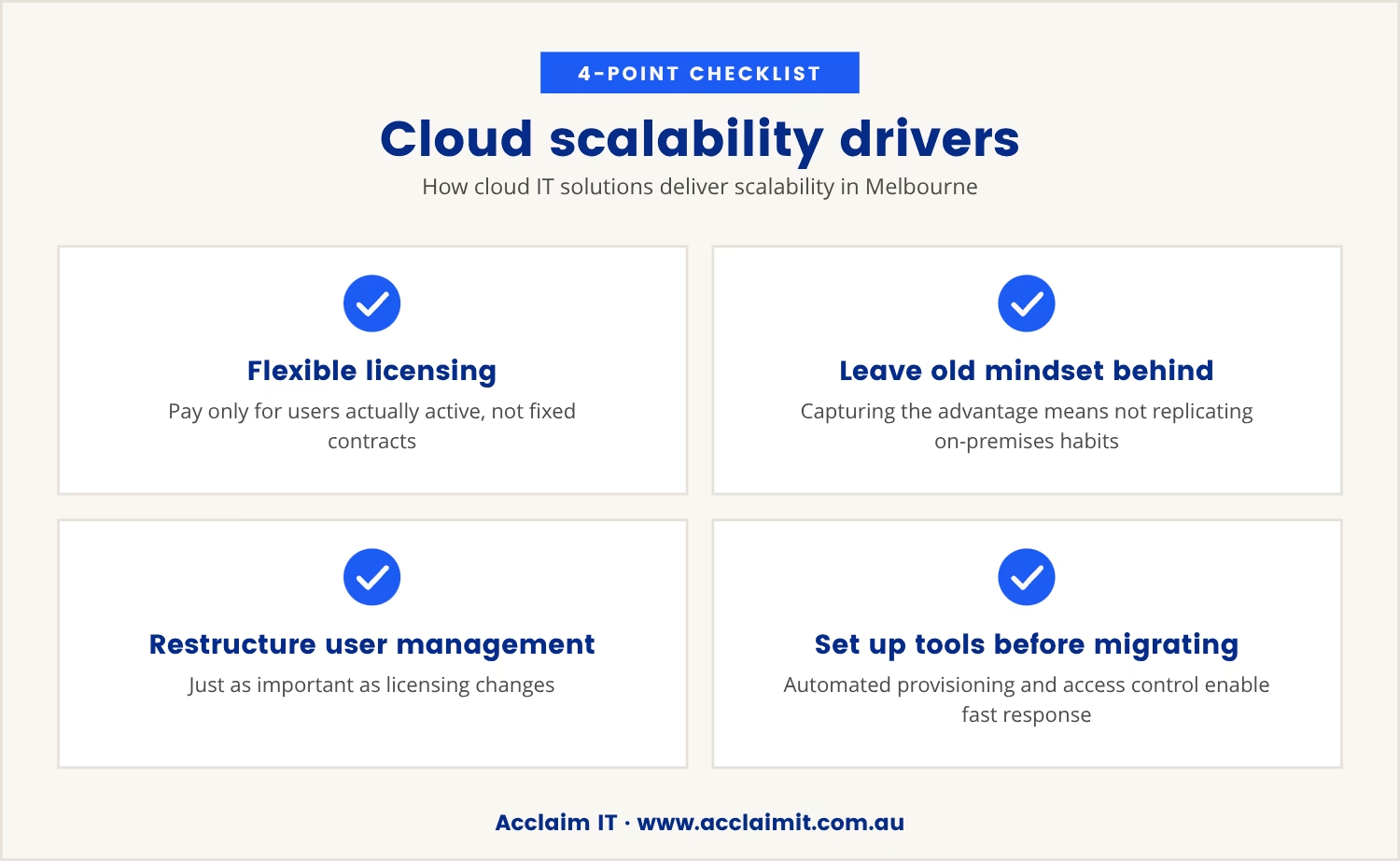
Platforms such as Microsoft 365 and Azure offer flexible licensing that charges only for what gets used, letting a business add or remove users as circumstances change instead of being locked into fixed contracts. Capturing that advantage, though, means leaving the old on-premises mindset behind rather than reproducing it in a new setting.
Restructuring user management matters just as much here. Cloud platforms come with tools for automated provisioning, access control and security, and setting these up ahead of migration is what allows a business to respond quickly when headcount or structure shifts.
Melbourne businesses, often dealing with fast-moving demand, stand to gain the most from that flexibility, provided it is planned for from the outset rather than patched in afterwards.
Key steps to restructuring for cloud scalability
Restructuring licensing and user management is not a one-size-fits-all exercise, but the following steps mark out the main ground to cover.
Assess your current licensing model
Start by reviewing how licenses are currently allocated. Identify any fixed or bulk-purchased licenses that could limit flexibility once systems move to the cloud.
Map user roles and access needs
Work out which users need access to which systems. Clarity here guides the right license types and heads off over-provisioning before it starts.
Choose flexible cloud licensing options
Look for cloud service plans that make adding or removing users straightforward, with billing that tracks actual usage rather than fixed allocations.
Automate user provisioning and deprovisioning
Build automated workflows for onboarding and offboarding. Doing so cuts errors and speeds up the changes that come with a growing or shrinking team.
Integrate user management with HR and business systems
Connect cloud user management tools to HR or payroll systems. Staff changes then flow through to the IT environment quickly and accurately, rather than waiting on manual updates.
Review and adjust regularly
Cloud environments shift quickly, so licensing and user management need scheduled reviews to stay aligned with what the business actually needs.
Common pitfalls when migrating to the cloud
Good intentions do not prevent the mistakes that commonly derail cloud migrations. The most frequent ones include:
- Copying old structures: Moving on-premises licensing and user management to the cloud without changes leads to inflexibility and higher costs.
- Overlooking automation: Failing to automate user management slows down scaling and increases the risk of mistakes.
- Ignoring usage patterns: Not tracking how licenses are used can result in paying for unused capacity.
- Delaying regular reviews: Without ongoing checks, the setup can drift away from what the business actually needs.
- Missing security updates: Outdated user management can create security gaps, especially when staff changes are not reflected promptly.
Steering clear of these pitfalls takes planning, and a willingness to drop habits that no longer fit.
What happens when you skip restructuring?
Skip the restructuring and moving to the cloud tends to raise costs while flexibility stays exactly where it was, since cloud providers bill on active users and resources rather than fixed hardware.
In theory, a falling user count should mean lower costs, achieved by scaling down licenses and services to match. But a setup still anchored to old, fixed models keeps charging for capacity nobody needs, and that gap adds up fast, particularly for businesses running with 20 to 100 users.
Growth creates the opposite problem: rigid licensing slows onboarding and makes it harder to seize new opportunities as they appear. Either way, the result is a cloud solution that looks modern on the surface while behaving exactly like the old system underneath, none of the promised benefit actually showing up.
Making your cloud migration work for your business
Cloud IT solutions can deliver on their promise, but only once licensing and user management have been restructured rather than simply relocated. That restructuring is not a minor technical detail; it is the foundation that true scalability and cost control actually rest on.
Before making the move, it is worth asking: are current licensing and user management practices built for the cloud, or are they quietly holding things back? The answer separates a cloud setup that grows alongside the business from one that drains its budget without anyone noticing.

How we help businesses scale with the cloud
Many businesses with 20 to 100 users find themselves stuck with cloud costs that do not shrink when their team does, or onboarding delays that slow growth. At Acclaim IT, we understand how frustrating it can be to invest in the cloud and not see the flexibility you were promised.
If you are ready to see how a different approach to licensing and user management can make your cloud setup truly scalable, let us show you how we handle this challenge for businesses like yours.
Want a risk-free start to scalable cloud?
Get your onboarding fees waived and a 90-day satisfaction guarantee when you move your business to the cloud with Acclaim IT—so you can try a scalable setup without extra risk.
Start your risk-free migration
Frequently asked questions
How do cloud IT solutions differ from traditional IT setups?
Cloud IT solutions use remote servers and services, giving access to resources over the internet instead of relying on hardware at a single site. This allows easier scaling, usage-based payment and access to new features without large upfront investment, whereas traditional IT setups stay limited by physical infrastructure and fixed licensing.
What is the impact of user management on cloud security?
User management sits at the centre of cloud security, since automated processes help ensure only authorised employees can reach sensitive data. Prompt updates or removals of user accounts cut the risk of unauthorised access, while manual or outdated processes leave gaps attackers can exploit.
Can I use my existing cloud solutions licenses when moving to the cloud?
Some existing licenses may carry across, but many on-premises licenses were never built for the flexible billing models cloud computing relies on. Reviewing license agreements and choosing cloud service options matched to current and future needs is the safer route, and it helps avoid paying for capacity that goes unused.
How does digital transformation affect user management?
Digital transformation generally brings new systems and processes that demand more dynamic user management. Automated tools make it easier to keep pace with workforce changes, keeping access rights current and supporting both security and efficiency as the business evolves.
What should I look for in a cloud IT service provider?
Look for a provider that understands the specific needs of the business and can help restructure licensing and user management for the cloud. Experience with migration, flexible support options and a clear approach to ongoing review all matter, since the right partner helps avoid common pitfalls and get full value from the investment.